Feature deep dive

Physical model

Turn an approved logical design into a deployable schema, with the same rules applied every time.

Generated physical database schema
Overview

Generation instead of retyping

The physical model is derived from the logical design, not maintained beside it.

Hand-translating a logical model into tables is where most of the drift between design and database creeps in. Model One generates the physical model instead, applying your naming standards, type mappings and key strategy consistently across every table.

Because generation is repeatable, you can regenerate after a design change and review exactly what would differ in the database.

Every column keeps a link back to the business concept it came from, so traceability survives all the way to production.

Walkthrough

From approved design to DDL

Four steps that take a reviewed logical model into your database platform.

Step 1

Choose the target platform

Create a physical model from the New Physical Model dialog: give it a name, pick the target database and set the schema it lives in. Model One derives the tables, columns and foreign keys from your logical design for that platform.

  • Target PostgreSQL, SQL Server, Oracle or MySQL
  • Name the model and set its schema or database
  • Tables, columns and relationships derived from the logical model
  • Keep several physical models from one logical design
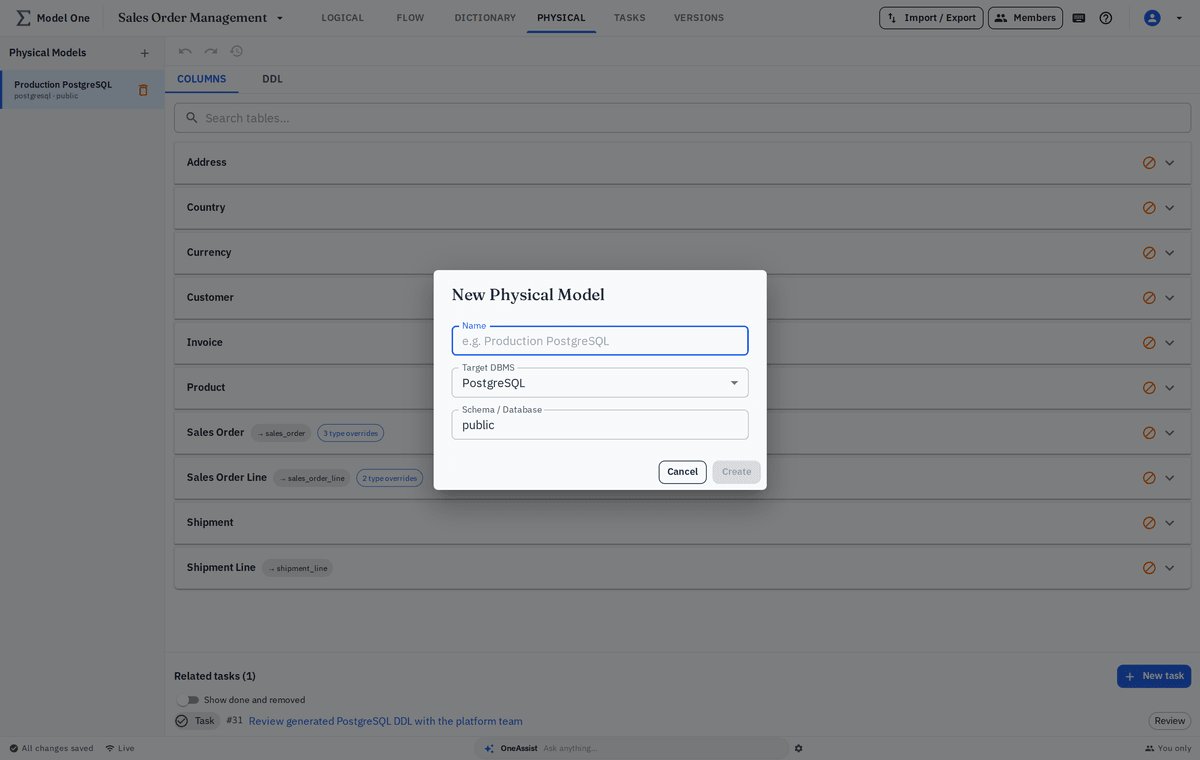
New Physical Model dialog with name, target DBMS and schema fields
Step 2

Define naming and type overrides

Where a physical name or type should differ from the logical default, record an override. Overrides layer on top of the auto-derived defaults, so you only set the fields you want to change.

  • Table-name overrides per entity
  • Per-table schema override to place a table in another namespace
  • Column-name overrides per attribute
  • Physical-type overrides where the derived type is not what you want
Table-name and schema overrides applied to a demo table
Step 3

Choose which tables each model contains

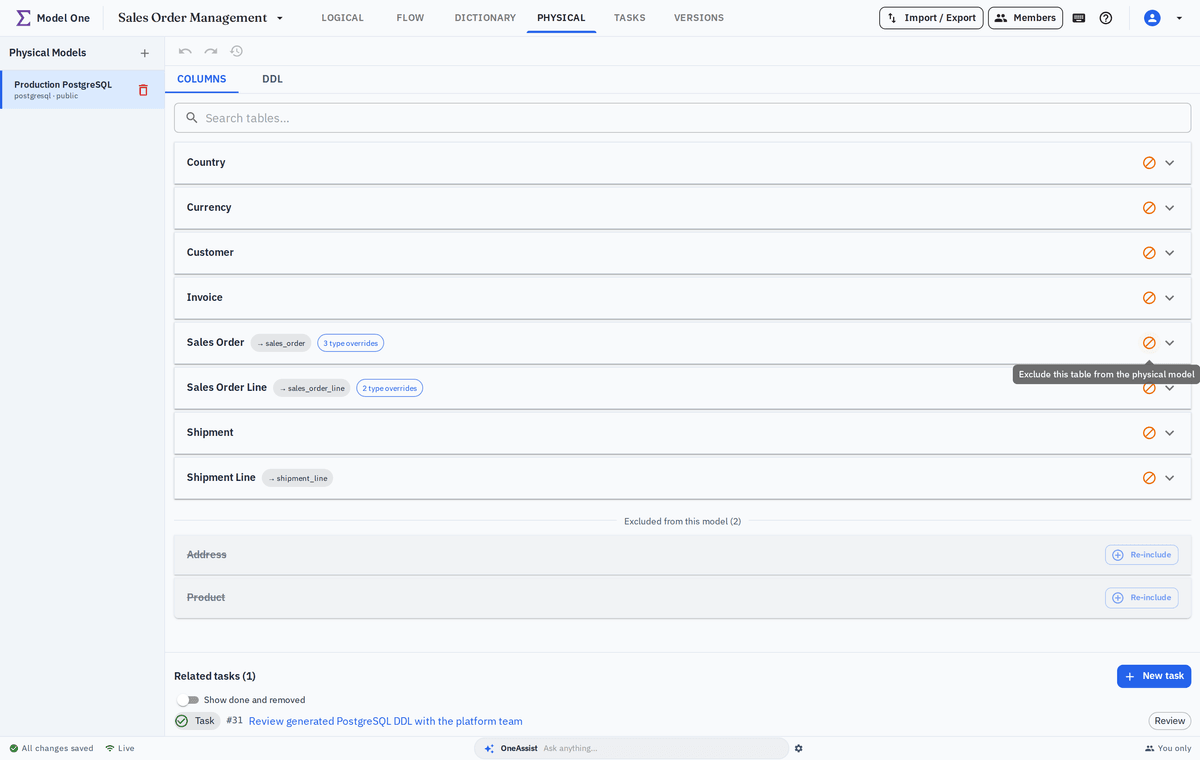
One logical design can feed several physical models, and not every entity belongs in every database. In the Columns tab, use the Exclude this table action to leave a table out; it moves to an Excluded section and can be re-included at any time.

  • Keep several physical models from one logical design
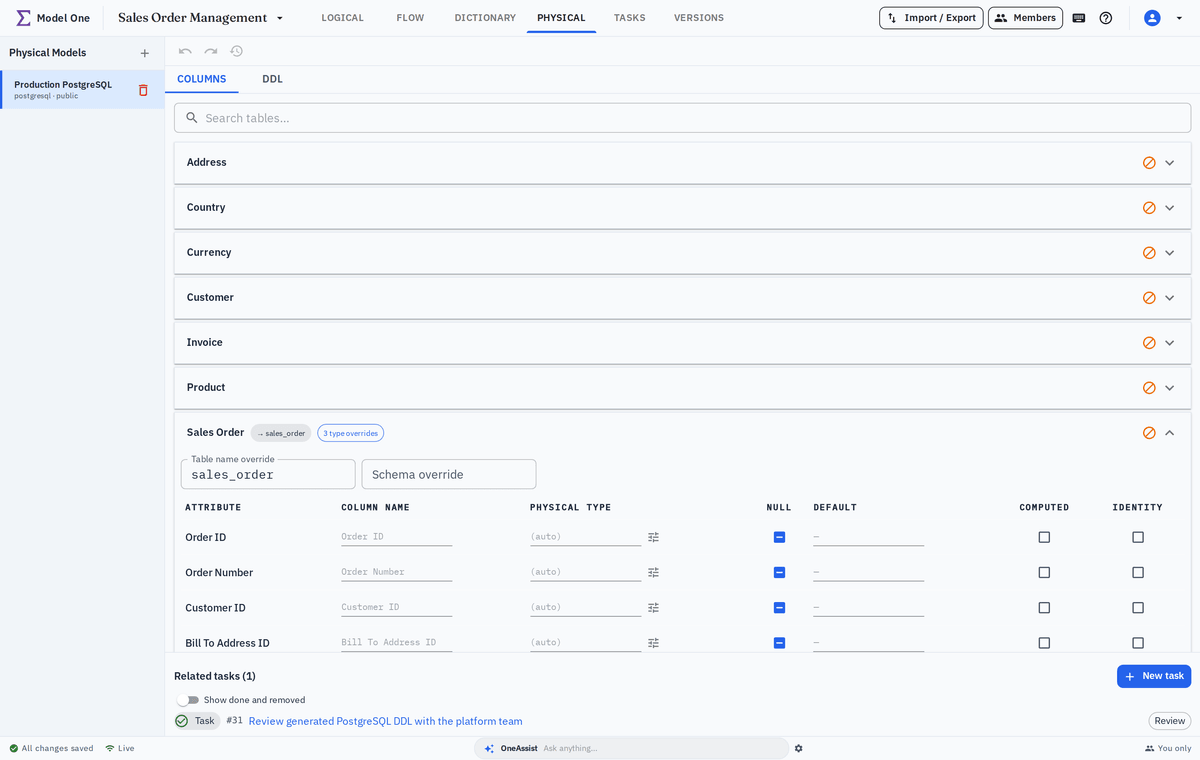
  • Exclude a table so it is left out of this model
  • Excluded tables are omitted entirely from the generated DDL
  • Exclusion is per model; re-include a table whenever you need it
Columns tab with several tables excluded from the physical model
Step 4

Generate DDL

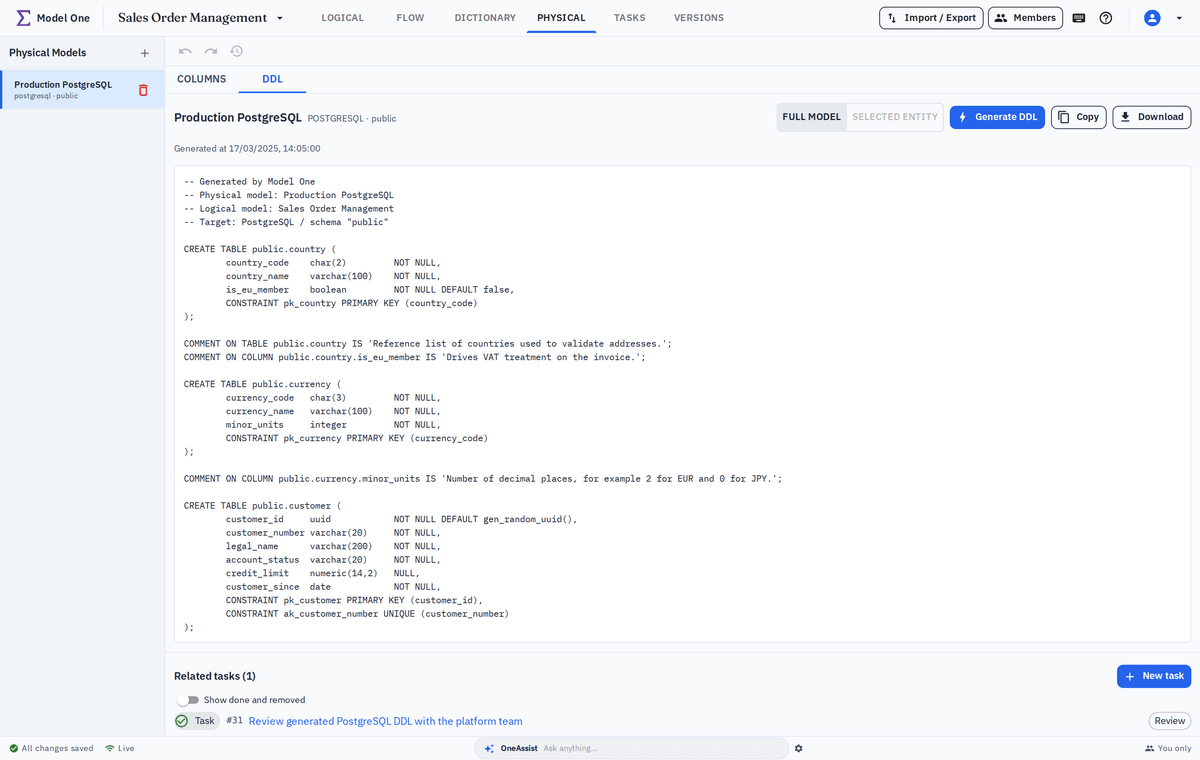
Generate the deployable DDL for the selected platform, then copy or download the script. Expand a table and switch the DDL scope to a single entity to inspect just that table's statement.

  • Executable DDL for the selected platform
  • Selected entity scope to review one table at a time
  • Copy or download the generated script
  • Traceability from every column back to its business concept
Generated DDL preview for a demo physical model
Highlights

What makes generation dependable

Repeatable rules beat manual translation every time.

Repeatable generation

Regenerate after a design change and review exactly what would differ.

Standards enforced

Naming and type overrides are configuration, not something reviewers have to police by hand.

Column-level traceability

Follow any column back through the logical model to the business definition behind it.

Keep exploring

What feeds the physical model

Generation is only as good as the design and the conversation behind it.

Generate a schema from your own design

Bring a model and we will generate the physical schema for your platform live.